

Professional Mastering
Enhance tracks with spectral cleanup, tonal shaping, and controlled peak handling for consistent playback.
Fast mastering for more natural tone, better translation to streaming, and release-ready balance. Upload WAV or MP3, hear a mastered 30s preview in under a minute, then export a full master when it sounds right.
Sign in with Google, then upload WAV or MP3 to hear a 30s mastered preview fast.
Private uploads. Auto-deleted after 30 days. See upload policy.
No credit card required. Need help?
Core Benefits
Every output is optimised for clarity, loudness consistency, and listener impact while preserving your artistic intent.
Enhance tracks with spectral cleanup, tonal shaping, and controlled peak handling for consistent playback.
Reduce brittle artefacts, smooth harsh edges, and keep dynamics feeling musical.
Drop in exports from AI tools and DAWs, plus your final mixdowns with no extra setup.
Get a finished version quickly so you can test, publish, and iterate without waiting on studio queues.
Process
One clear flow from sign in to download. No plugin chain setup.
Use your Google account so your uploads and download history stay in one place.
Drop your track and we process a 30s mastered preview for a quick first listen.
Review the result and download when you are happy with the output.
Demo
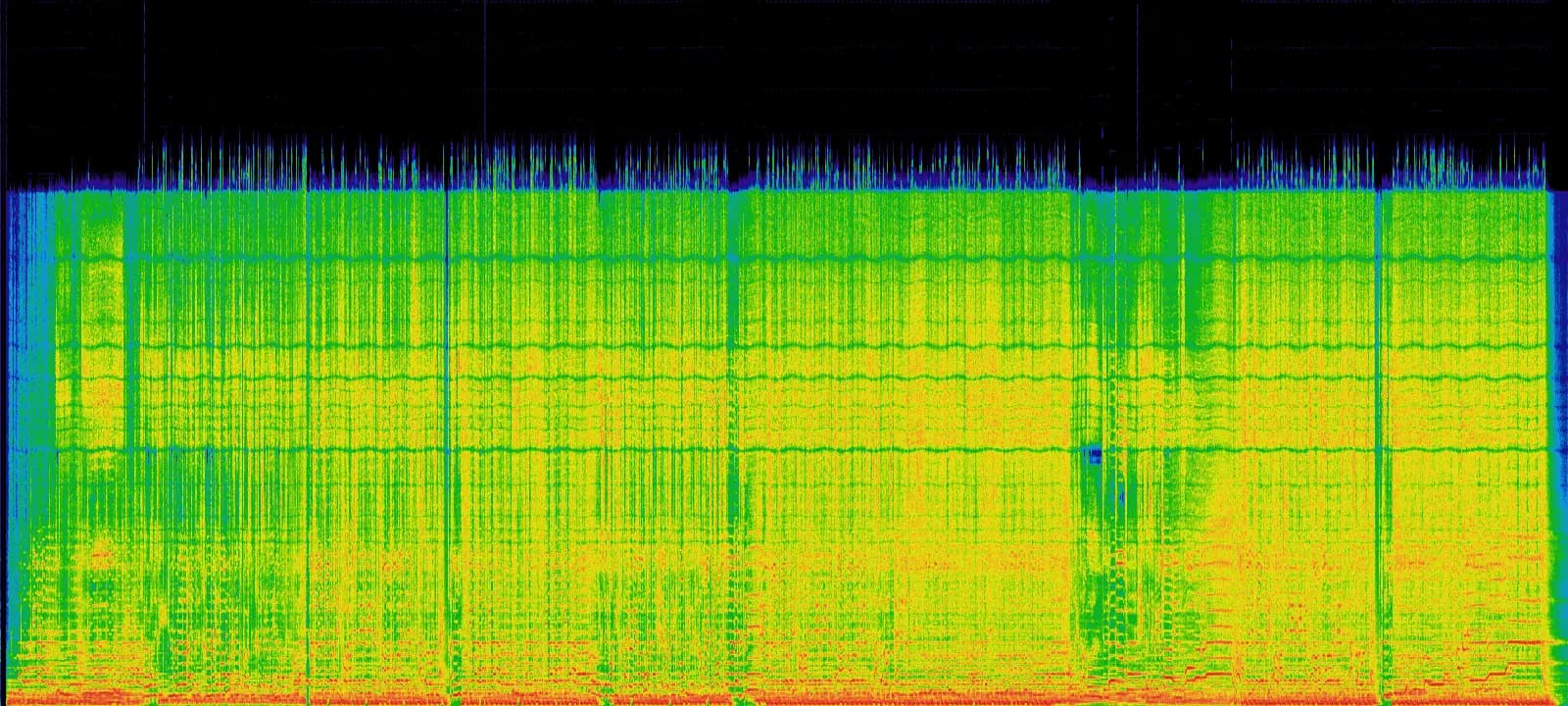
One clear example with a spectrogram view so you can inspect the frequency shape while listening.
Single preview example with a smooth upper band and fewer brittle AI-style artefact spikes.
Reference
Integrated LUFS: -9.2 LUFS
True Peak: 0.4 dBTP
Trust
Clear targets and predictable output so you know what to expect from every pass.
Tonal balance and level are tuned for consistent playback across common platforms.
Final limiting keeps export headroom controlled for safer platform playback.
Fast preview loops so you can decide quickly and keep momentum.
husicis short for "human music". The goal is simple: reduce brittle artefacts and keep your track feeling musical.
FAQ
Answers to the most common questions about mastering workflow, formats, and current availability.
Mastering is the final polish of a finished mix. It focuses on tonal balance, loudness, dynamics, and playback consistency across platforms.
WAV and MP3 only right now.
Most tracks complete in under a minute, depending on file size and current processing load.
Yes. husic mastering can help smooth brittle highs, fizzy texture, and harsh edges that often show up in AI-generated or hybrid tracks while preserving musical dynamics.
If you are a consumer, you may have a 14-day cancellation right under Paddle's terms, with exceptions once digital services are used. See our Refund Policy for full details.
Files are private to your account, retained for 30 days, then deleted. We do not train on your uploads. See our Privacy Policy.
Send feedback to hi@husic.ai with your source and mastered files. We actively tune quality and reliability using creator feedback.